Case study
Market Report 2.0
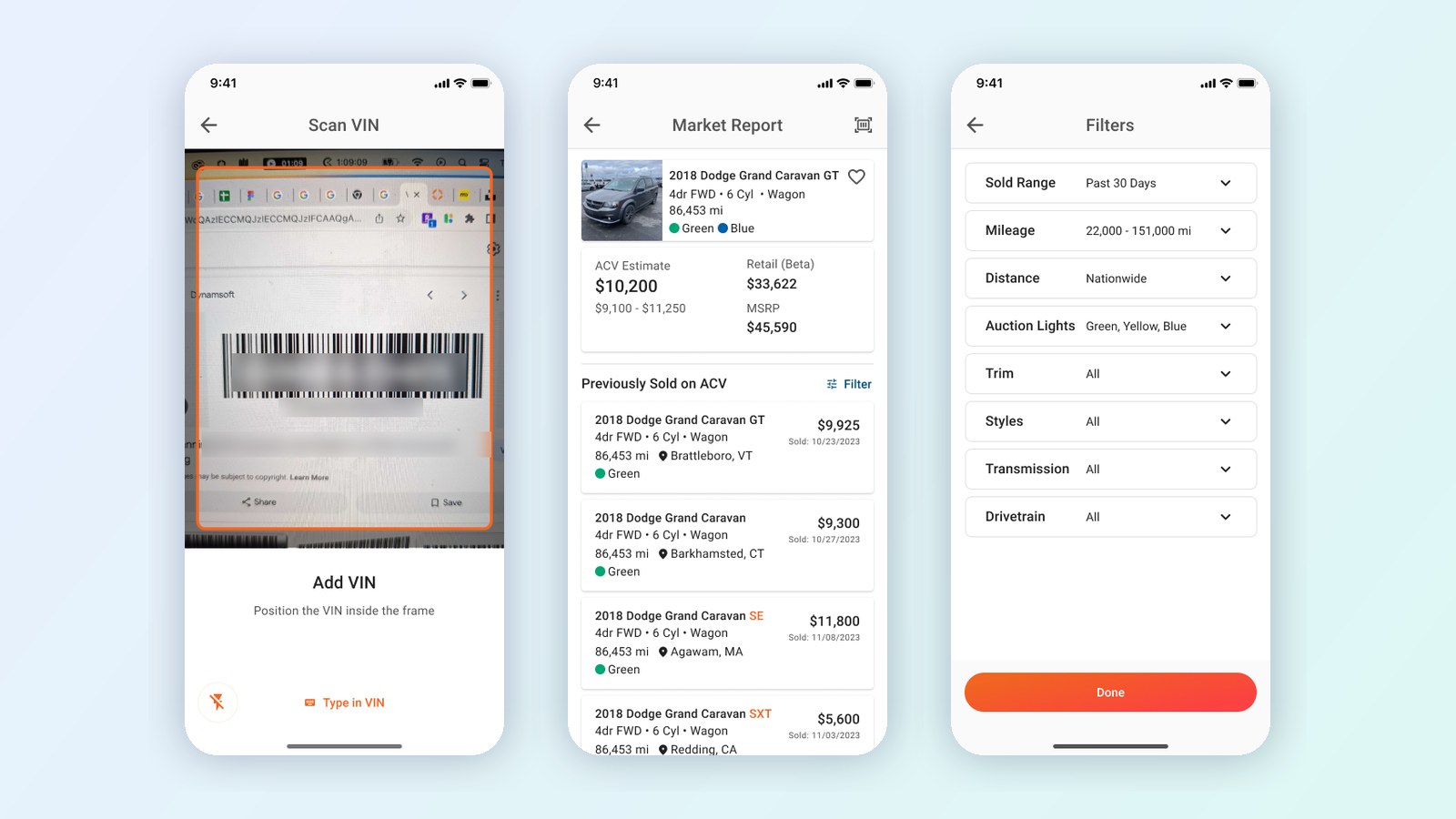
Market Report shows dealers what similar cars recently sold for on ACV, but it was built for a desk. I mapped what dealers needed, tested a redesign with 5 dealers, and let their feedback shape Market Report 2.0, which shipped: scan a VIN, get the answer first, and see condition on every sale.
In 60 seconds
- The problem: Market Report tells dealers what similar cars recently sold for on ACV. It’s exactly what they need while appraising a car, but it was designed for a desk, and dealers appraise cars standing on the lot.
- What I did: I led the research and design for Market Report 2.0. I mapped 8 jobs to be done, each tied to a business goal, designed a new version, and tested it against the old one with 5 dealers. Their feedback shaped the final design: it starts by scanning the VIN, puts the answer at the top, and shows condition on every past sale.
- The result: Market Report 2.0 shipped. In testing, 5 of 5 dealers understood the new condition ratings and match percentages, and every dealer asked for VIN scanning, calling it the biggest improvement, so it became the first step. It works from a phone on the lot to a desk.
The problem
Appraising a trade-in happens fast, usually standing next to the car with the customer waiting. The dealer has one question: what did cars like this one recently sell for?
Market Report had the answer, but it was built for a desk: type in a VIN, set up your filters, then read a long list. On a phone, on the lot, that’s too many steps before the answer.
The insight: don’t shrink the desktop tool. Design for the moment on the lot: one hand, a few seconds, and the answer first.
What wasn’t working
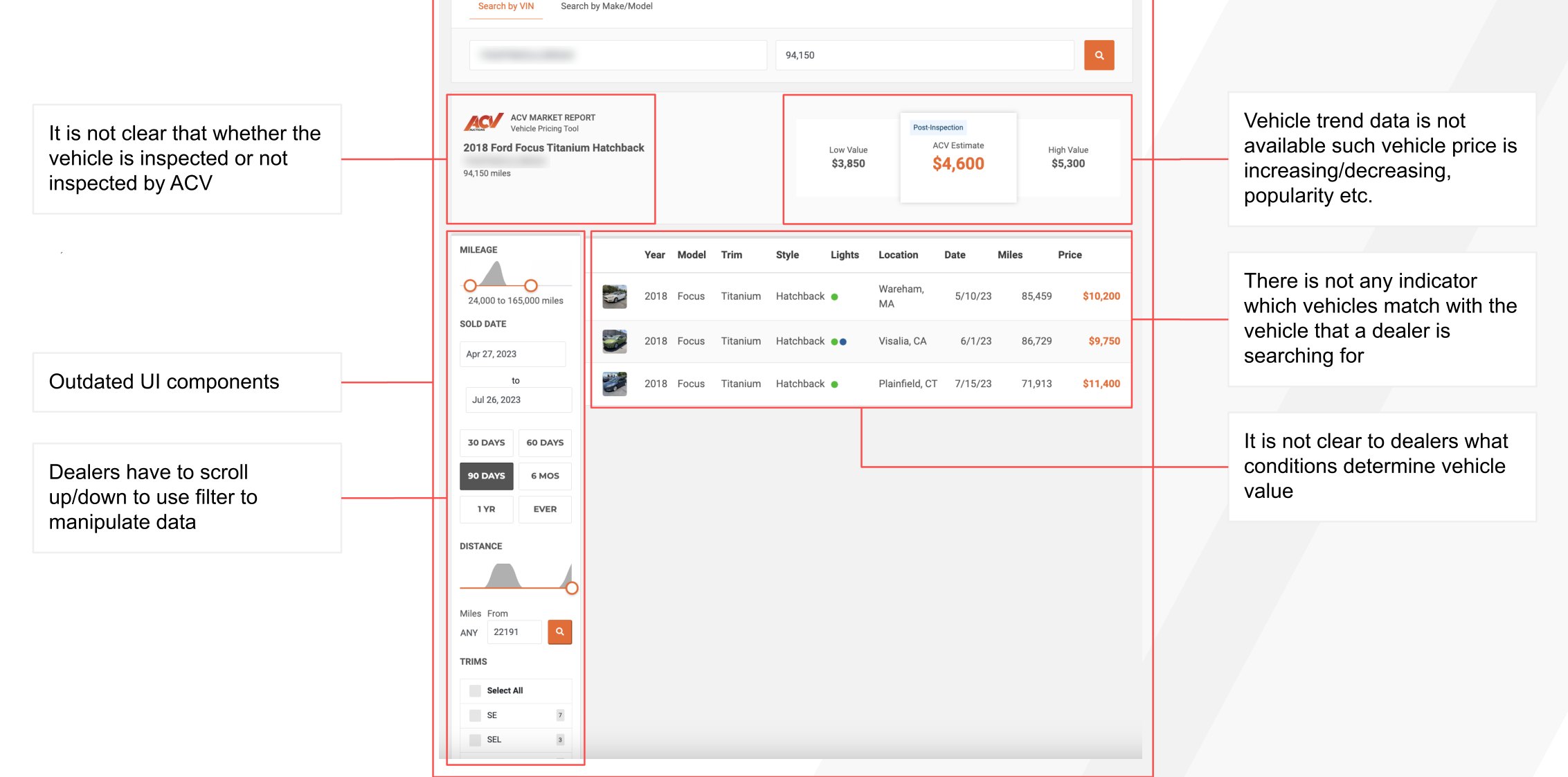
I started by auditing the existing Market Report. Dealers couldn’t tell whether a car had been inspected. Nothing showed which past sales actually matched their car, or which conditions drove the price. The filters sat in a long column dealers had to scroll through, and there was no sense of whether prices were rising or falling.
Designing around the dealer’s jobs
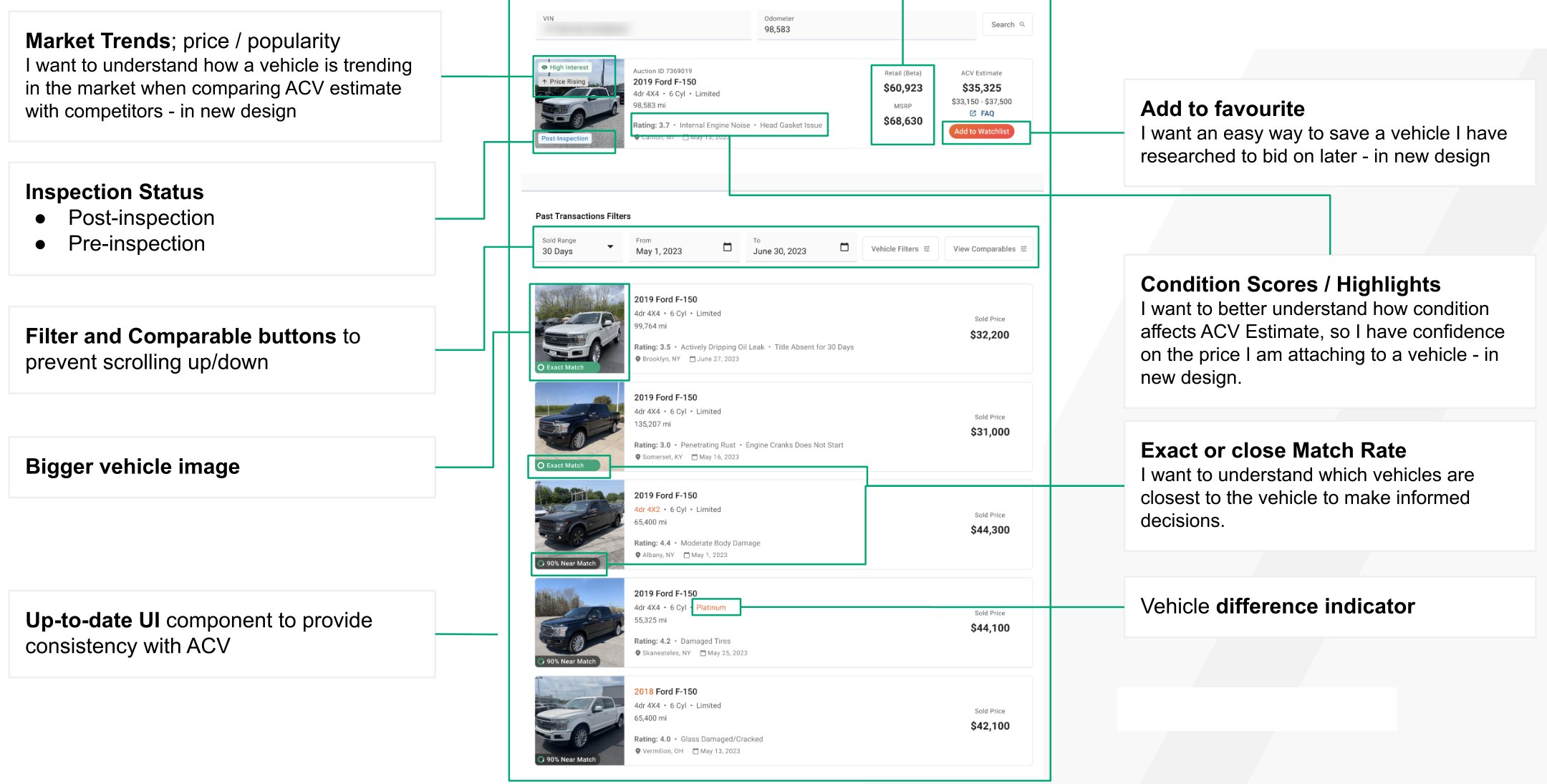
I mapped 8 jobs dealers needed Market Report to do, and tied each one to a business goal, like getting more cars launched to auction, more inspection requests, more bids, and better reserve prices. For example: “I want to better understand how condition affects the ACV estimate, so I have confidence in the price I’m attaching to a vehicle.”
Then I designed a new version around those jobs: match percentages (“Exact Match,” “90% Near Match”), differences highlighted on near matches, a condition rating with the issues that affected price, market trend tags like “Price Rising,” the retail and MSRP spread, and a one-tap watchlist.
What 5 dealers told us
I ran usability testing with 5 dealers, walking through searching for a car and reviewing past sales.
- The core ideas landed. 5 of 5 dealers understood the vehicle data, the condition rating, the prices, the match percentages, and the highlighted differences on near matches.
- Scanning a VIN was the #1 request. Every dealer said they wanted to scan a VIN with their phone and saw it as the biggest improvement to the product.
- Bring back the condition lights. The redesign had removed ACV’s familiar green, yellow, red, and blue lights, and dealers wanted them back. They also cared most about the conditions that lower a car’s value, not the positive ones.
- Some labels didn’t work. Only 2 of 5 dealers understood what “View Comparables” meant, and dealers suggested “CR Rating” instead of “Rating.”
- Other asks: the current bid and time remaining when a car is in a live auction (5 of 5), a 6-month date range, and about 10 cars per page.
Four decisions that shaped it
1. Start with the camera
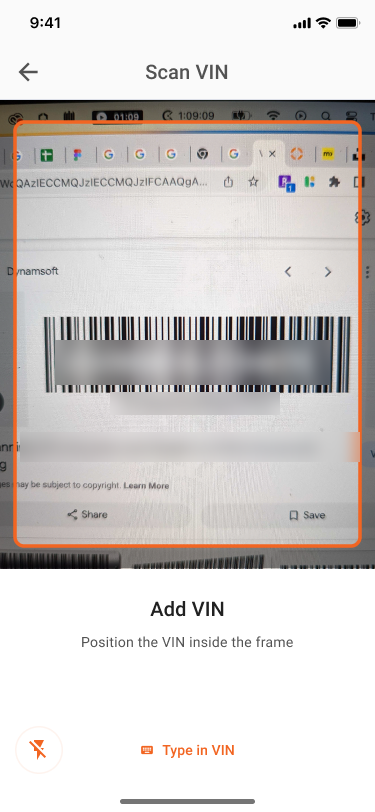
Every dealer asked for it, and typing a 17-character VIN on a phone is slow and error-prone. So the final flow starts with the camera: point it at the VIN barcode, and the app recognizes it, confirms the vehicle, and asks for the mileage. Typing is still there as a backup.
2. Put the answer first
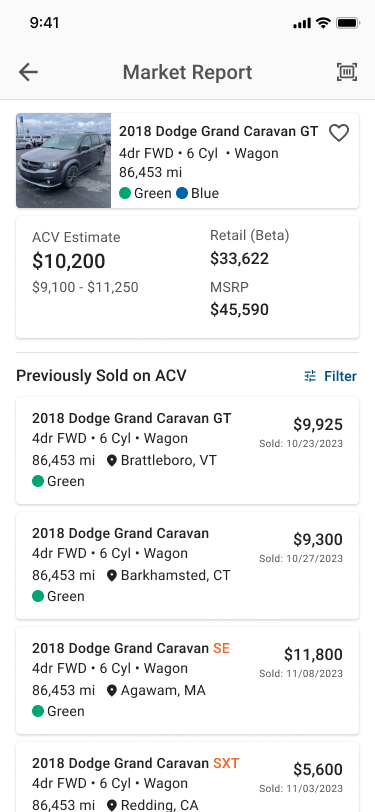
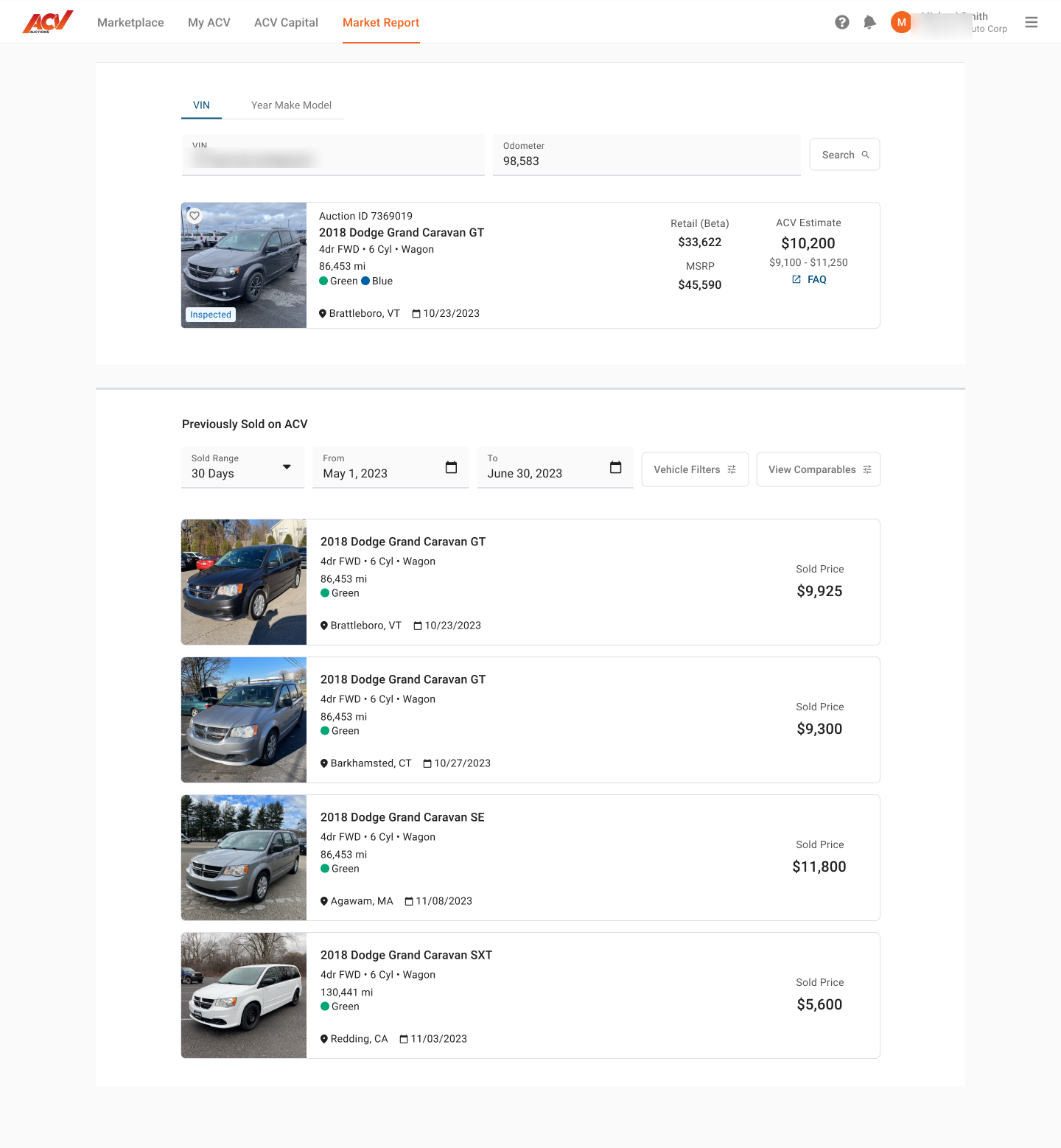
The top of the results screen answers the question before the dealer scrolls: ACV’s estimate with a price range, the retail estimate, and the MSRP. Below that is every comparable car recently sold on ACV, with its sale price, date, location, and mileage.
3. Show condition on every sale
Two cars with the same year, make, and model can sell thousands of dollars apart because of condition. Testing made it clear that dealers rely on ACV’s condition lights, the same green, yellow, red, and blue signals they know from ACV auctions, so I brought them back on every past sale. Dealers can compare like for like at a glance.
4. Smart defaults, full control
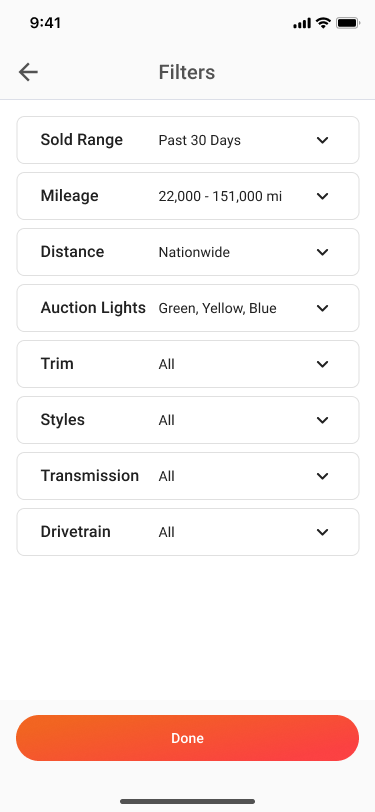
Dealers still need to narrow results sometimes, so the filters stayed, but they start with sensible defaults: the past 30 days, a mileage range around this car, and nationwide. The first answer needs no setup. And every filter shows its current value, so dealers always know what they’re looking at without opening anything.
One design, every screen
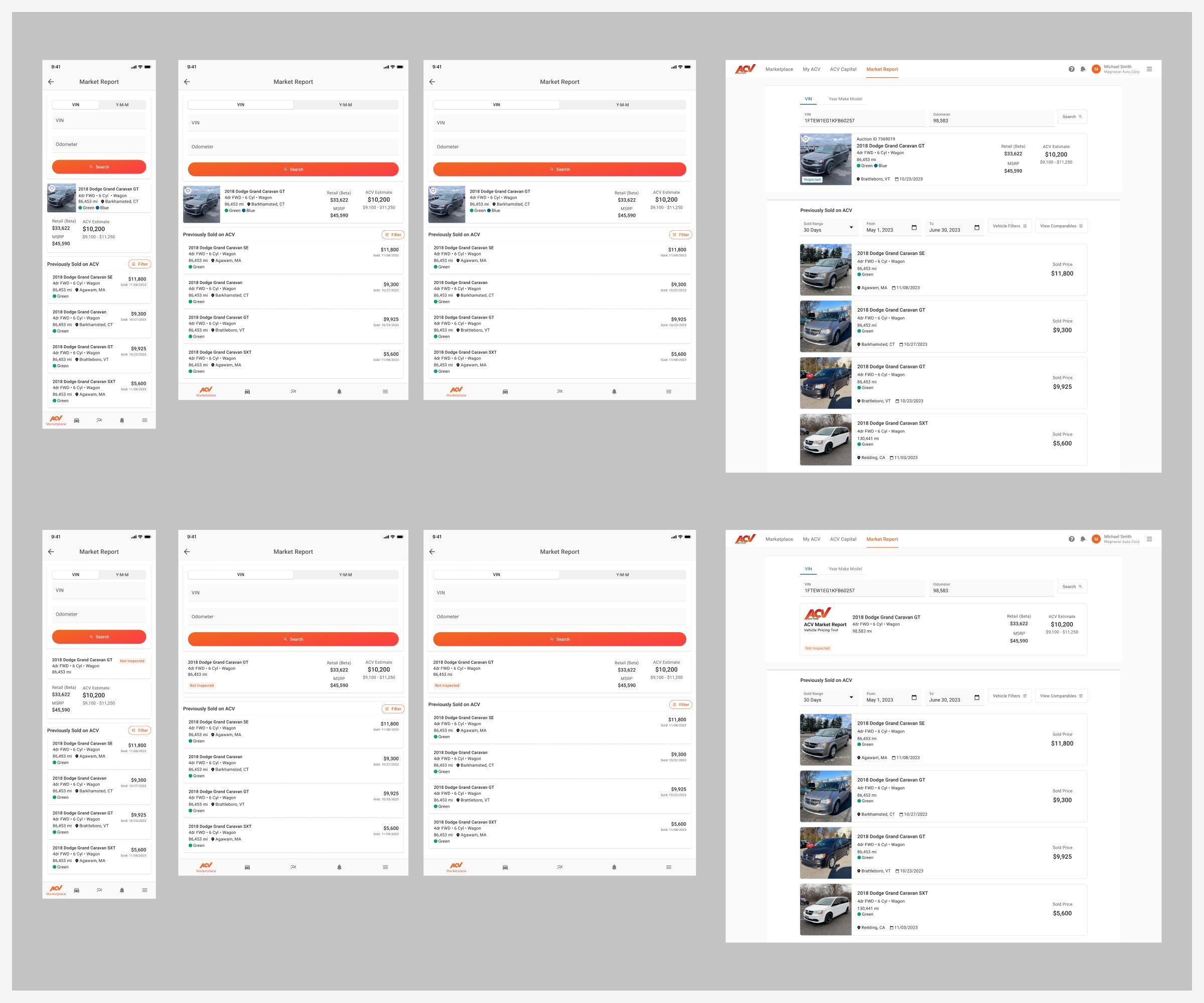
Some dealers use Market Report on a phone, some on a tablet, some at a desk. I designed it across four breakpoints so the same structure works everywhere, with the answer first on every size.
I also designed Market Report into ACV’s native app, inside the flows where dealers appraise, buy, and launch cars to auction, so the market data is there at the moment of each decision.
What I took away
Mobile doesn’t mean “make it smaller.” It means designing for a different moment. On the lot, the best design is the one that gets to the answer in the fewest steps, and still lets you go deeper when you need to.
And testing isn’t only for confirming ideas. My redesign had quietly removed something dealers depended on, the condition lights. Five conversations caught it before it shipped.
Now I always ask: where is the user standing when they need this?