Case study
ClearCar Admin Portal
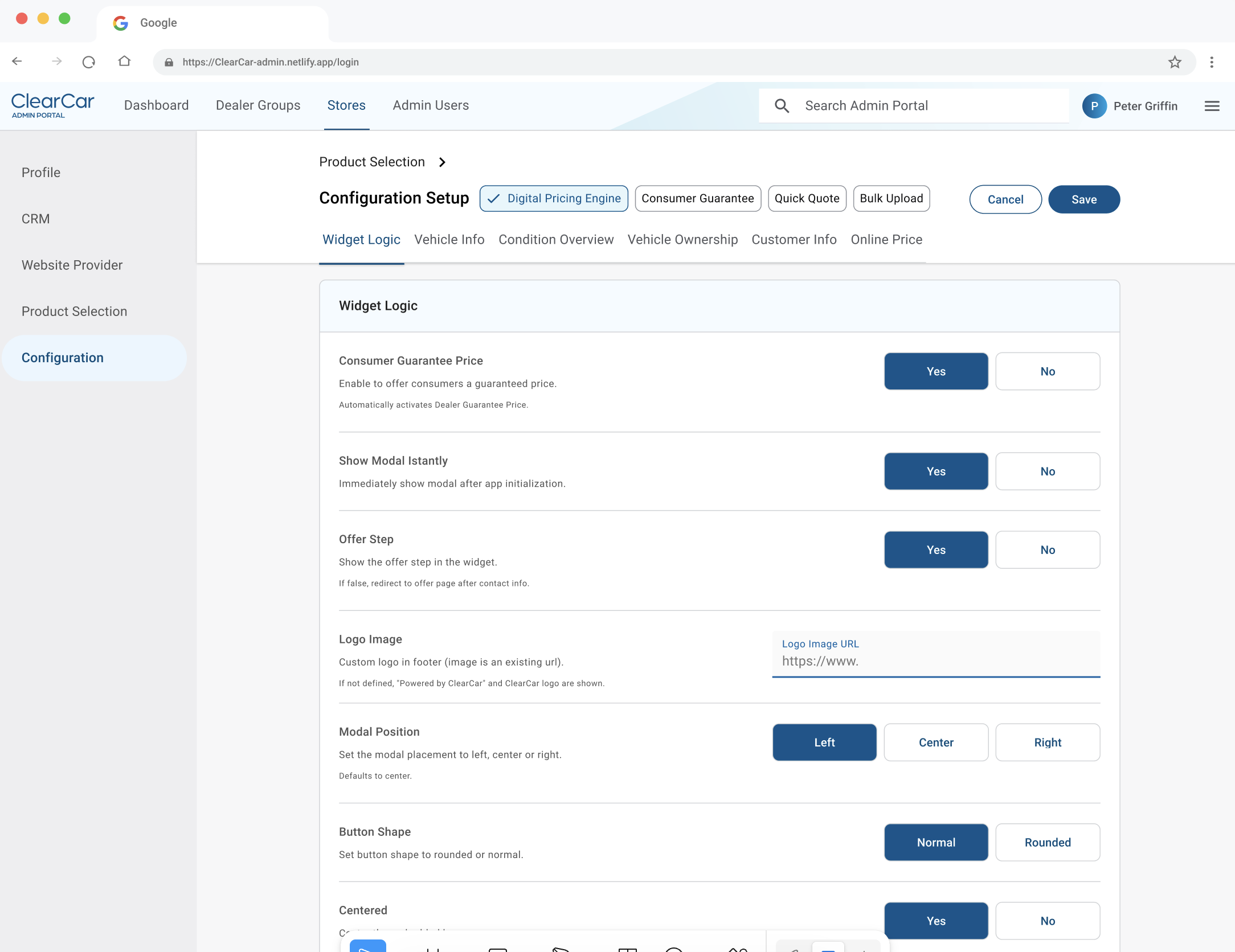
The internal tool behind ClearCar, where ACV's team set up every dealer, store, and integration. Shared logins meant no accountability, and legacy clutter caused constant errors. I led the research and design to rebuild it around clarity and ownership.
In 60 seconds
- The problem: Every dealer that joined ClearCar was set up in an internal admin portal that everyone tolerated. Shared logins meant no one was accountable for changes, and unclear fields, dead options, and no guidance caused constant errors.
- What I did: I led the research and the design. I mapped how the team onboarded a dealer, ran a workshop to agree on what to fix, stripped out the legacy clutter, added guidance at every step, and introduced individual logins with activity tracking and a dashboard.
- The result: People used the new portal right away with no training, support questions dropped, and compliance finally had an audit trail.
The problem
The old portal was slow and confusing, but it worked, and no one had time to fix it. People had learned to work around it.
My research showed it was doing real damage. Shared logins meant no one knew who changed what. Unclear required fields caused errors that had to be fixed later. Legacy and non-functional options cluttered every screen, including settings for products ClearCar no longer offered. People felt overwhelmed and anxious using it.
I mapped the full journey of onboarding a new dealer, for both the admin doing the setup and the dealer waiting on it, including how each of them felt at every step.
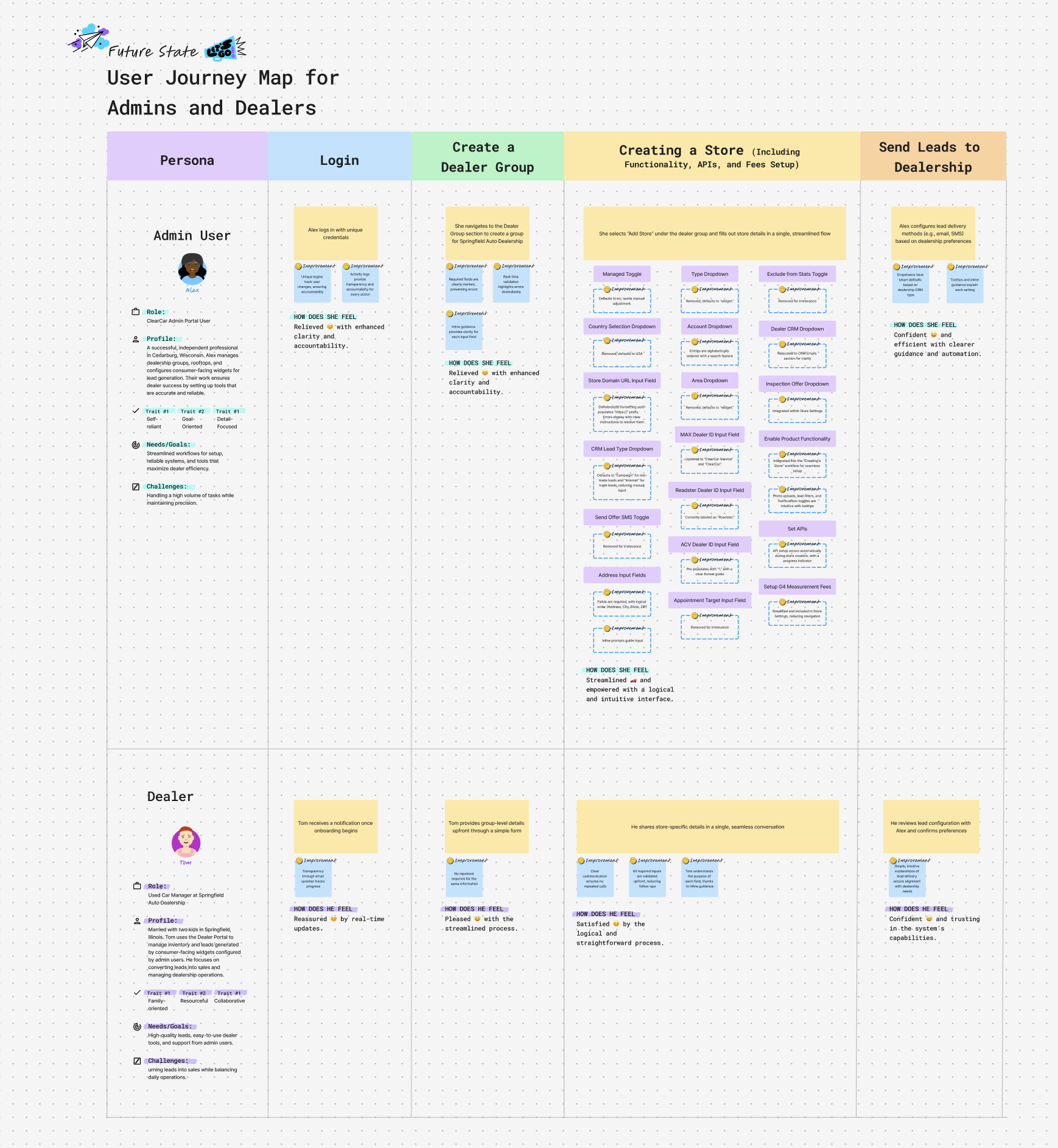
The insight: don’t just modernize it. Rebuild from first principles: remove everything legacy, guide every step, and make accountability visible.
Getting everyone to agree on the fixes
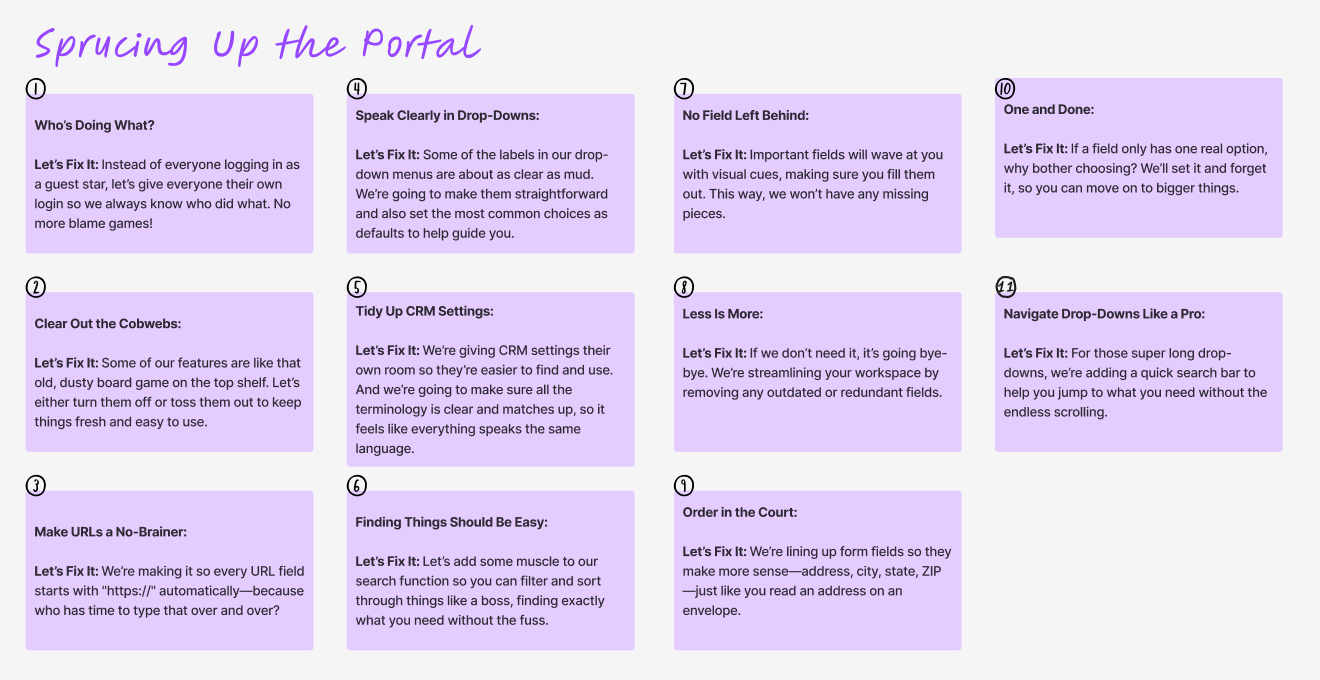
Before designing anything, I ran a workshop to agree on the plan. We turned the problems into “How might we” questions, agreed on objectives, and wrote every fix in plain language so anyone could follow along.
Three decisions that drove the outcome
1. Remove the legacy
I audited every field and option against how people actually work today. Anything outdated or broken came out, and sensible defaults replaced manual input wherever possible. If a field only had one real answer, we set it for them.
Result: Workflows became direct paths instead of mazes. Fewer choices meant fewer errors, and common tasks got noticeably faster.
2. Guide every step
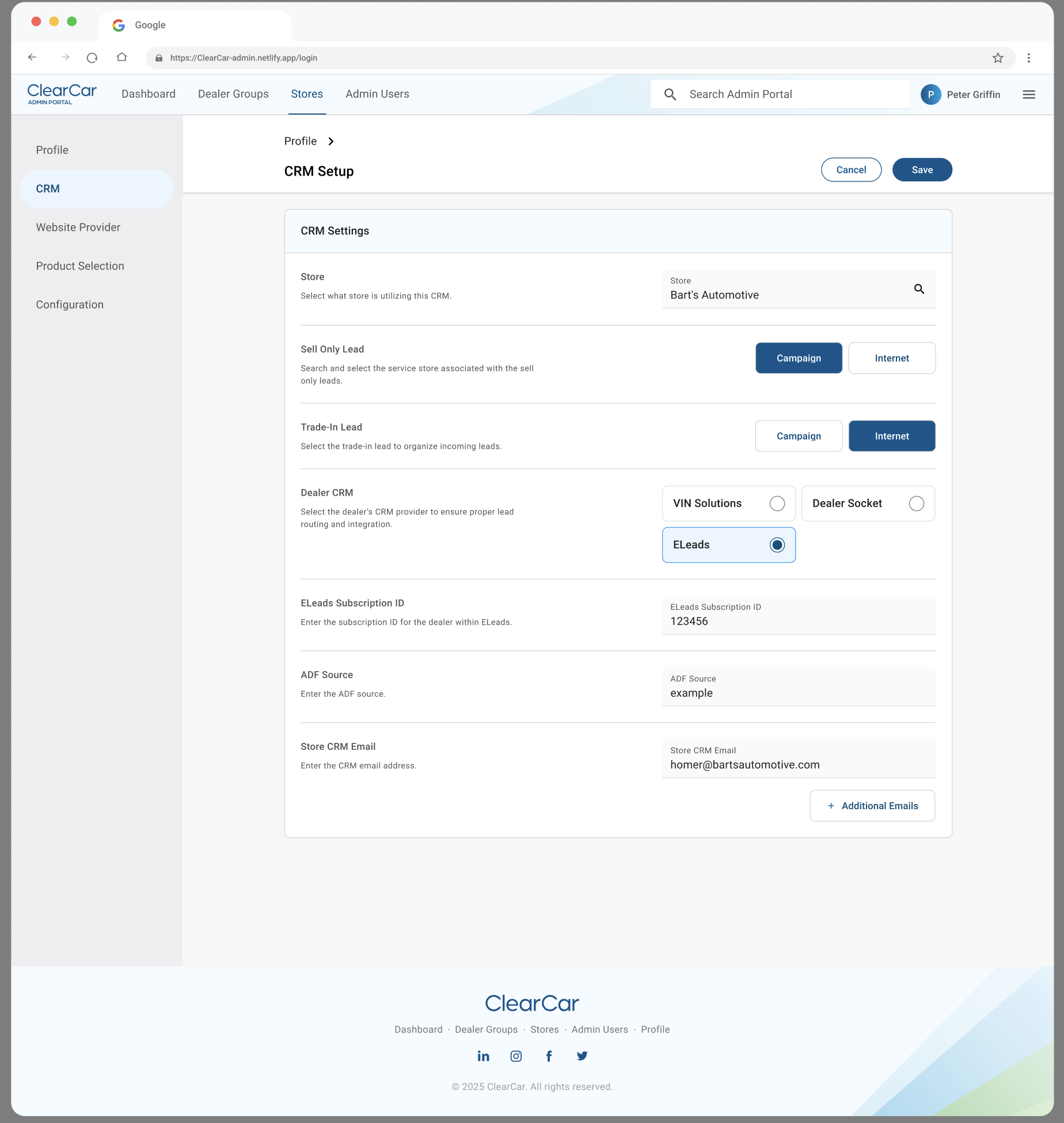
I added inline prompts explaining what each field needs and why, real-time validation that flags errors immediately instead of on submit, and a logical field order: address, city, state, ZIP, just like on an envelope.
Result: People stopped guessing. Errors and support questions dropped because the interface explained itself.
3. Make accountability visible
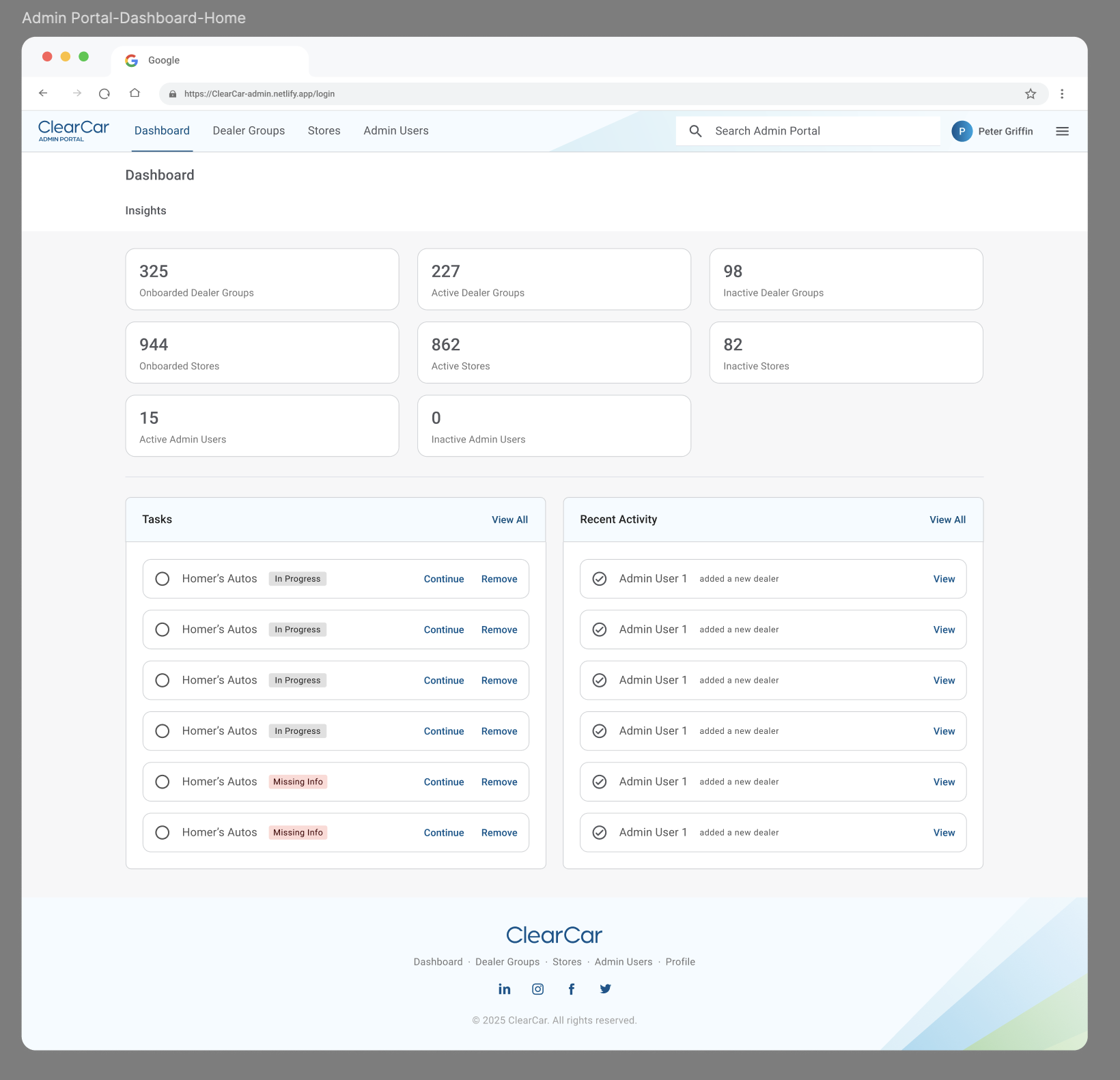
I replaced shared logins with individual accounts, logged every change, and designed a dashboard showing recent activity, outstanding tasks, and key metrics.
Result: Compliance got the audit trail it was missing (“Activity logs solve our audit trail problem”), and teams gained real-time visibility into operations.
How we measured it
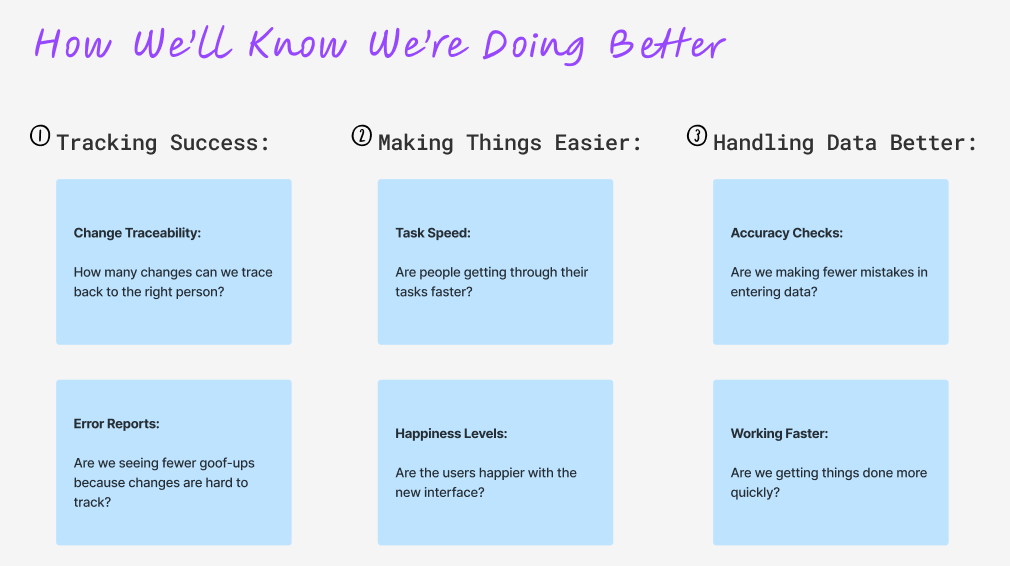
We agreed on how we’d know it worked before we built it: can we trace every change to a person, are tasks faster, are there fewer data-entry mistakes, and are people happier using it.
What changed
- For users: “Finally clear, I know what I’m doing” and “This actually helps me work faster.”
- For the team: Less time answering portal questions, more time on higher-value work.
- For the company: The accountability approach is being extended to other internal tools.
What I took away
Tools people “tolerate” quietly cost a lot. The friction compounds into errors and frustration every day.
Now I look for internal tools that are tolerated rather than loved. Because they’re used constantly, fixing them has outsized impact.