Admin Portal Redesign
Legacy admin tool frustrated users with shared logins and cluttered workflows. By removing legacy elements, adding clear guidance, and implementing accountability tracking, I reduced friction and accelerated operations.
60-Second Summary (TL;DR)
- The outcome: Legacy admin portal frustrated users with shared logins (no accountability), unclear fields (errors), outdated options (clutter), and poor guidance (confusion). By removing legacy elements, clarifying workflows, adding inline guidance, and implementing unique logins with activity logging, I reduced friction and accelerated operational tasks.
- Why it mattered: Users were frustrated by unnecessary steps and lack of clarity. The tool created confusion and anxiety rather than enabling efficient work. Shared logins meant nobody was accountable for changes, creating compliance and audit issues.
- What I did: Led research to identify core pain points. Designed simplified workflows by removing legacy fields. Enhanced guidance with inline prompts and real-time validation. Implemented unique login system for accountability. Created dashboard showing recent activity and key metrics.
- Proof: Users adopted new portal immediately without training. Operational workflows accelerated. Accountability tracking provided audit trail. Team feedback highlighted improved clarity and reduced frustration.
The Problem
What everyone tolerated: The legacy portal was slow and confusing, but it worked. People had learned to navigate around the issues. No one had time to fix it.
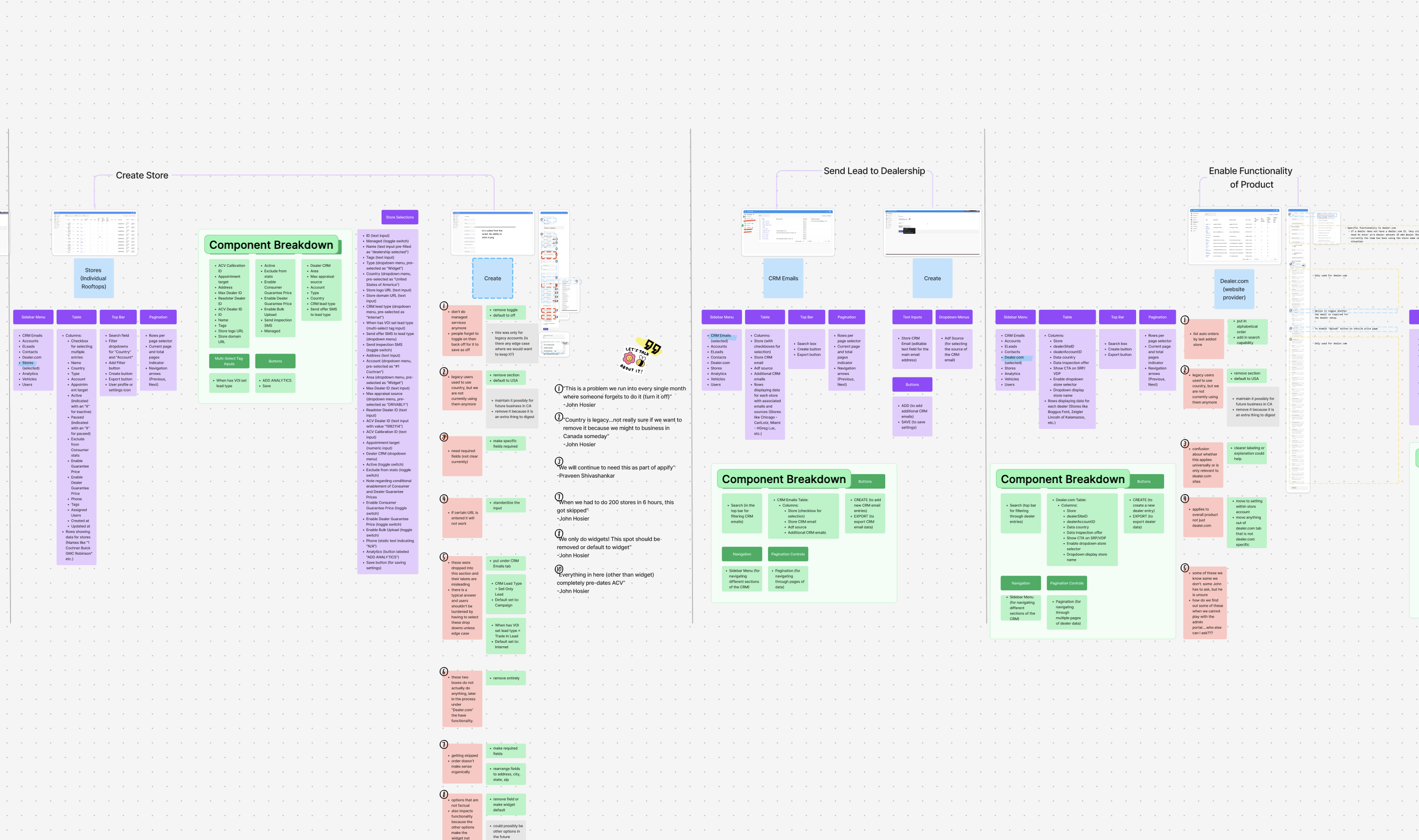
What research revealed: The tool wasn’t just slow—it was actively harming operations. Shared logins destroyed accountability (nobody knew who made changes). Unclear required fields caused errors that users had to fix later. Legacy fields (outdated and irrelevant) cluttered the interface. Users lacked guidance on what to input. Non-functional options broke workflows. Users felt overwhelmed, confused, and anxious.
Why this mattered: Users were wasting time on unnecessary steps. The lack of clarity and control created errors, rework, and frustration. Shared logins created compliance risk (no audit trail of who changed what). The tool was a bottleneck to operational efficiency.
The insight: Don’t just modernize. Redesign from first principles. Remove everything legacy. Add clarity and guidance at every step. Make accountability visible. Turn a source of frustration into an accelerant for work.
The 3 Decisions That Drove the Outcome
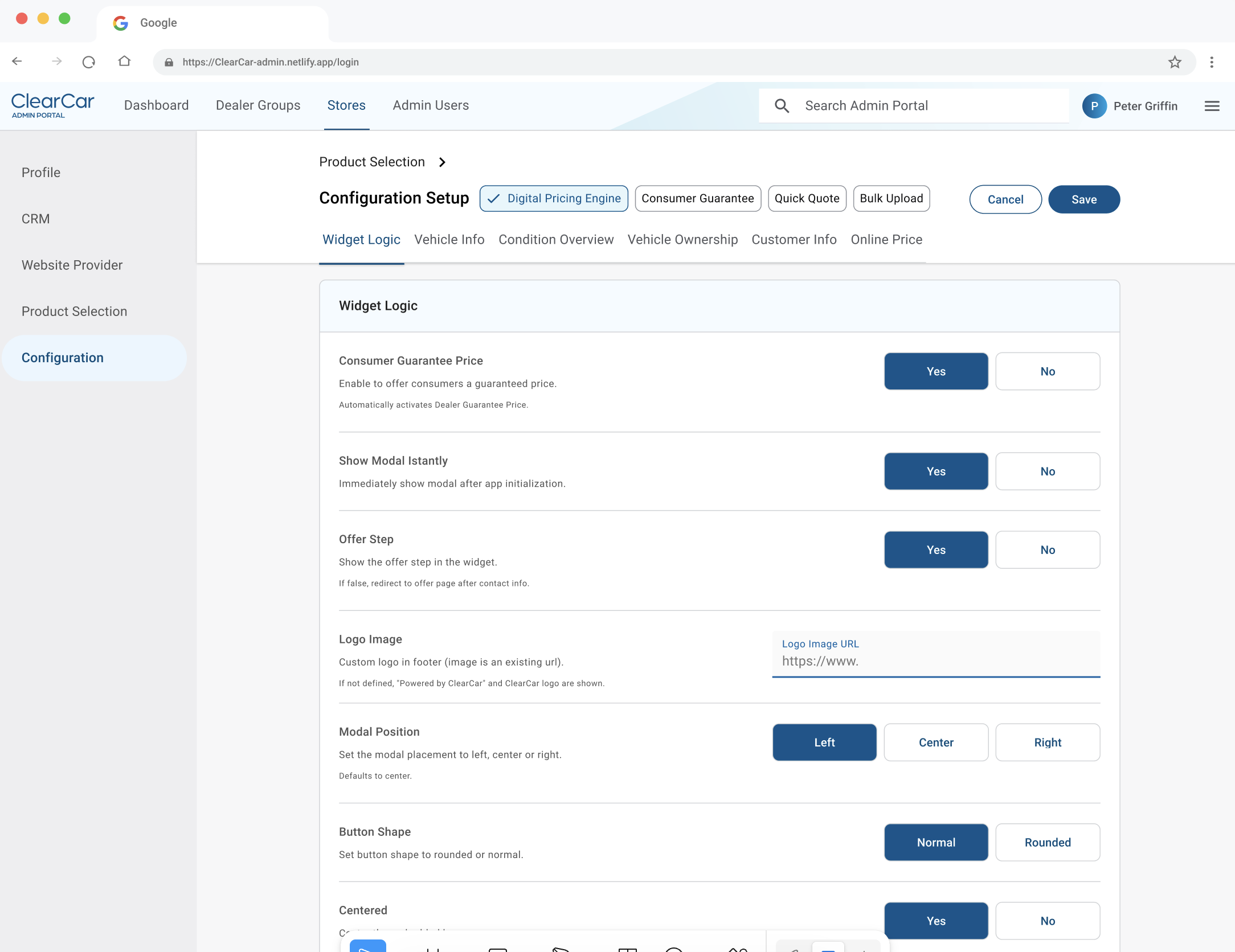
Decision 1: Remove Legacy and Simplify Workflows
Problem: The interface was cluttered with irrelevant fields and outdated options that no longer served current workflows. Users wasted time navigating around things that didn’t matter.
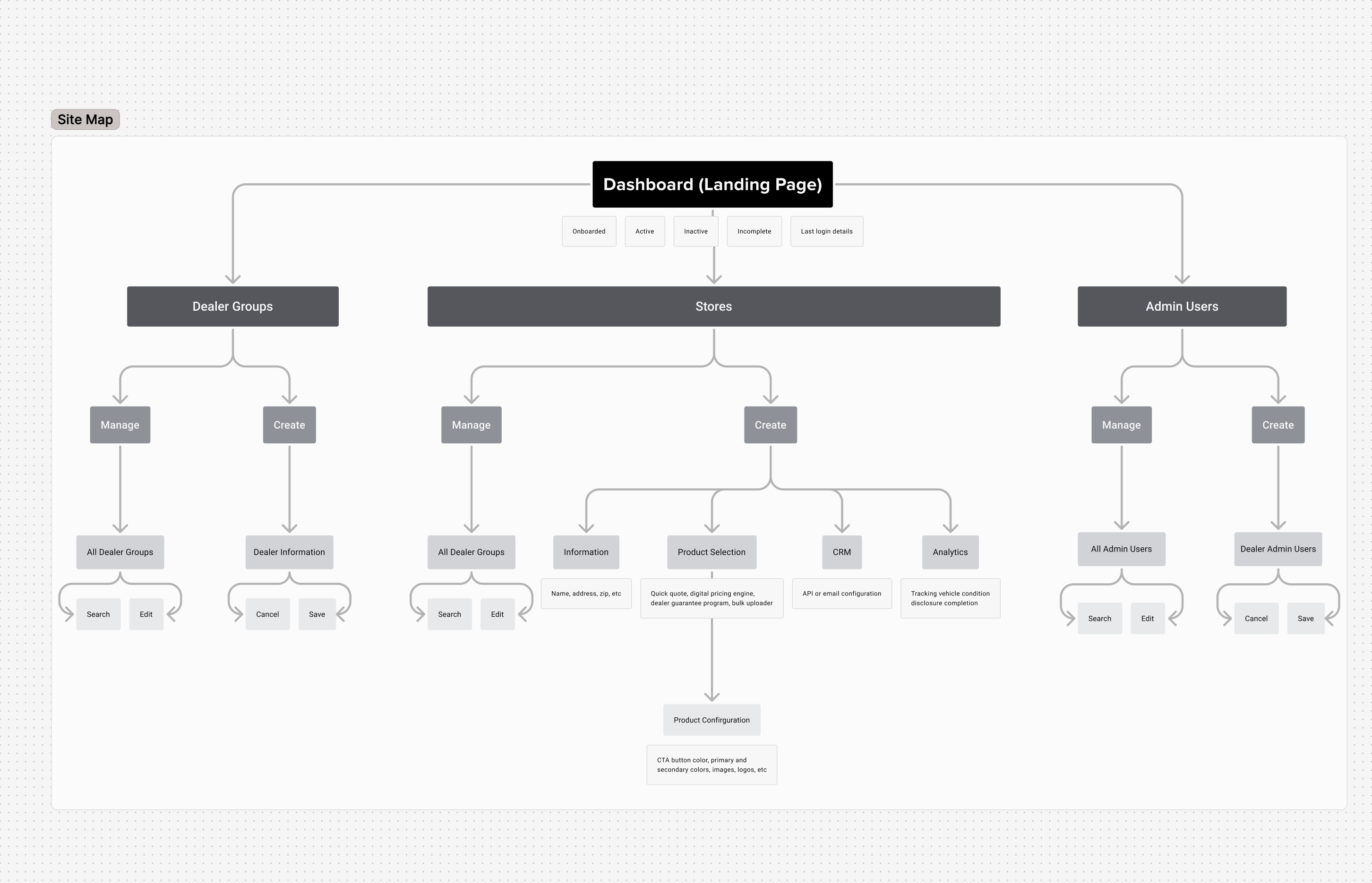
Solution: Audit all fields and options against current workflows. Remove anything legacy or non-functional. Default settings where possible to reduce manual input. Keep only fields that matter to users today.
Impact: Users immediately felt less overwhelmed. Interface clarity increased. Workflows became direct paths instead of mazes. Fewer errors because fewer choices to confuse users. Time to complete common tasks dropped noticeably.
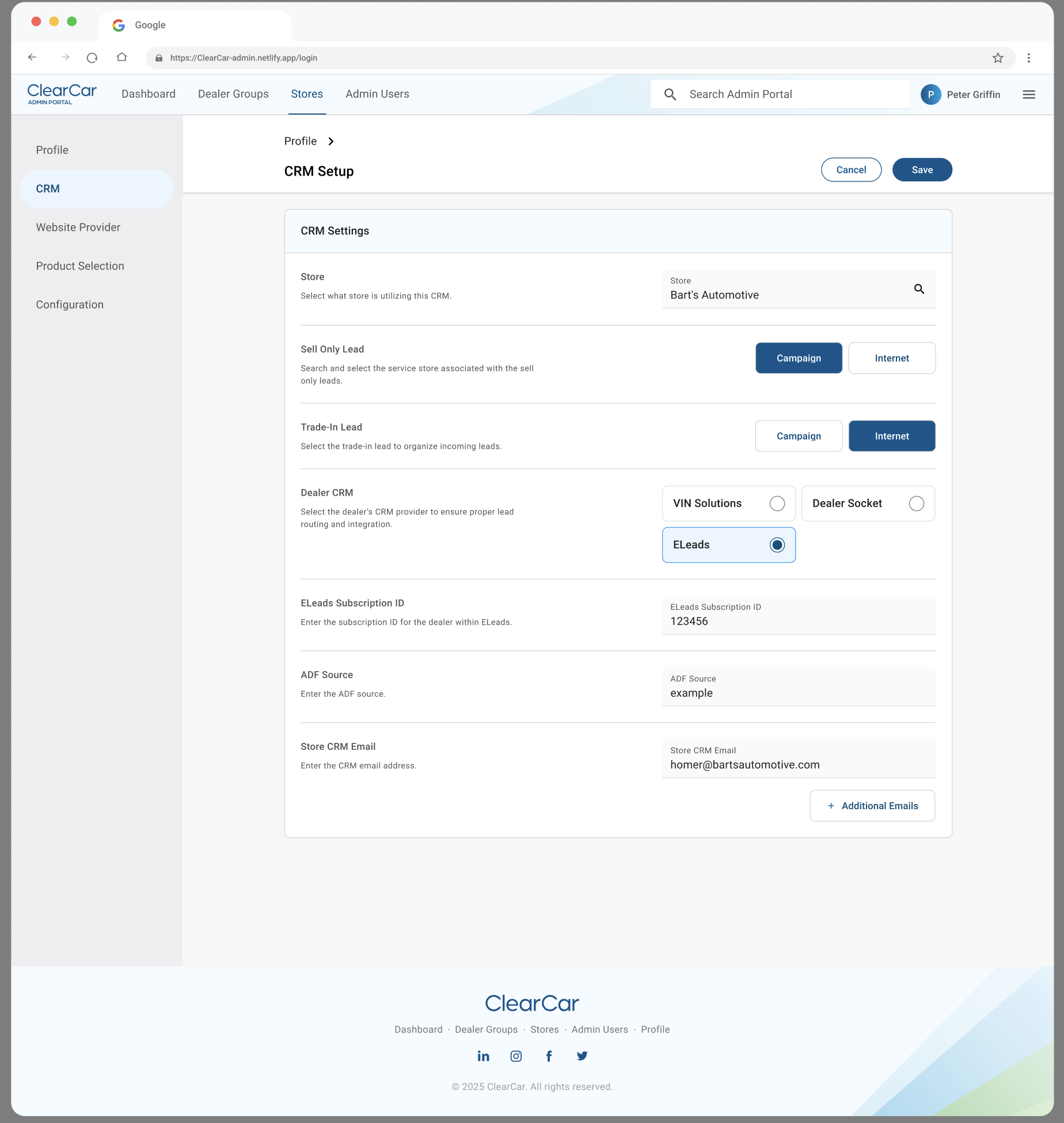
Decision 2: Add Clear Guidance at Every Step
Problem: Users lacked guidance on what to input and why. Required fields weren’t clearly marked. Input expectations were implicit, not explicit.
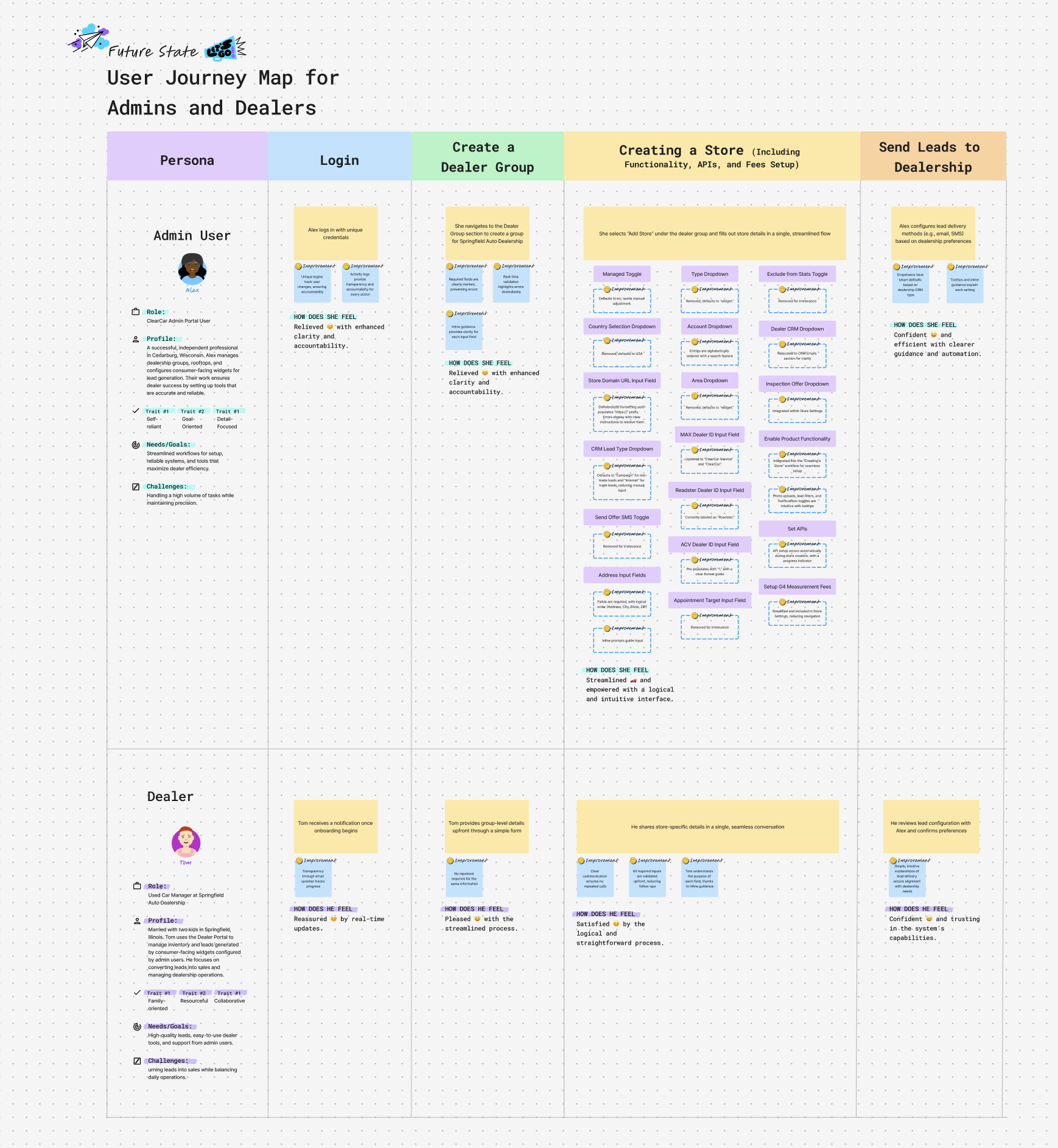
Solution: Inline prompts for each field explaining what’s needed and why. Real-time validation that highlights errors immediately instead of at form submission. Clear labeling and explanations. Logical field order to prevent confusion and back-and-forth.
Impact: Users understood what the system needed from them. Errors decreased because validation was immediate and clear. Users felt guided, not guessing. Support questions dropped measurably because the interface was self-explanatory.
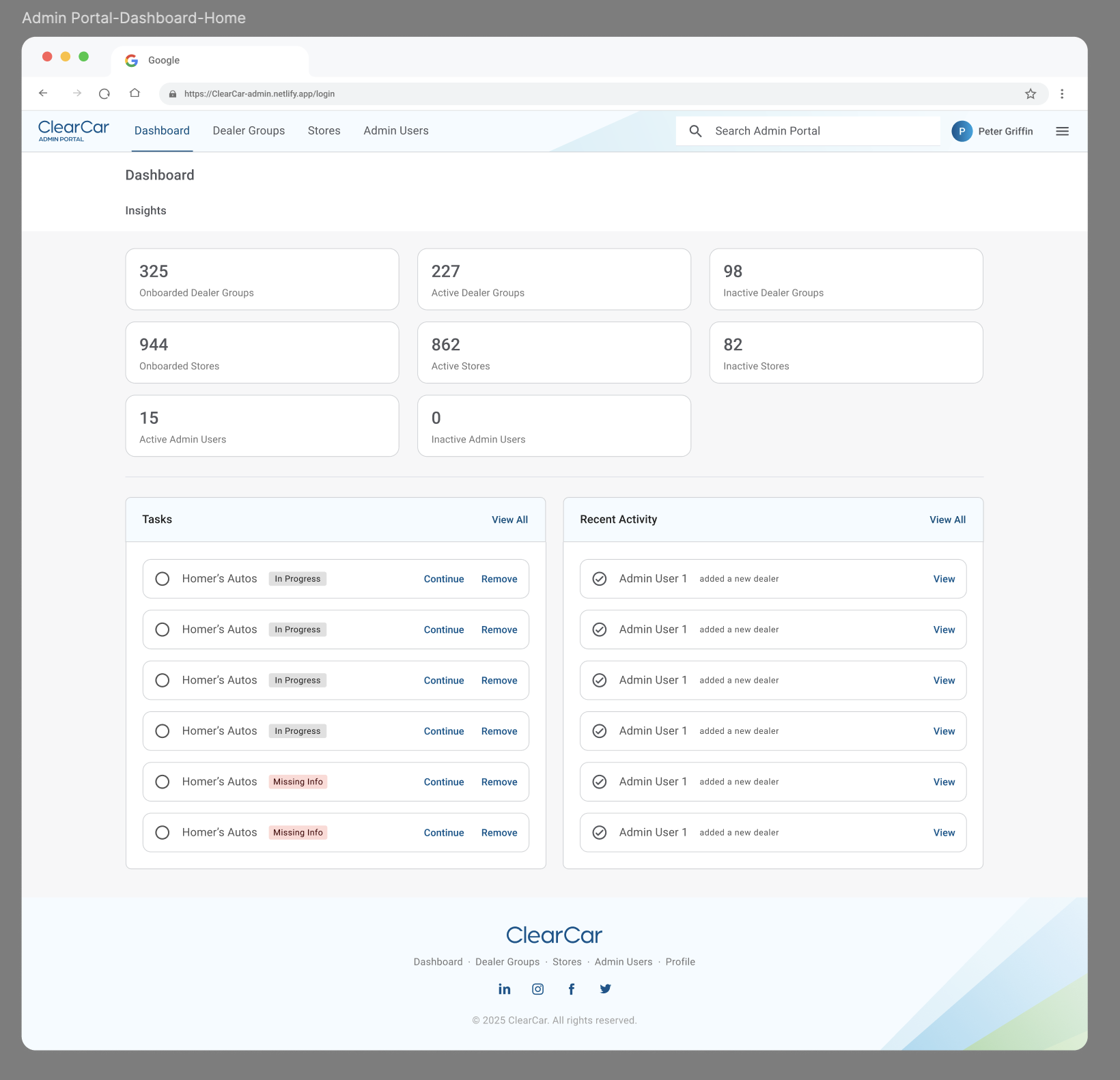
Decision 3: Implement Accountability and Add Dashboard Intelligence
Problem: Shared logins meant nobody was accountable for changes. Real-time updates were missing, causing anxiety about whether changes had taken effect. No visibility into recent activity or outstanding tasks.
Solution: Unique logins for each user to track who makes changes. Activity logs capturing what changed and when. Dashboard showing recent activity and outstanding tasks at a glance. Key metrics for quick insights into operational status.
Impact: Clear audit trail for compliance. Users felt accountable and aware of their actions. Real-time updates eliminated anxiety. Dashboard gave users context and helped them prioritize. Operational visibility improved across teams.
Evidence and Results
Quantitative:
- Users adopted new portal immediately without training or documentation
- Support questions related to portal usage dropped measurably
- Time to complete common operational tasks decreased noticeably
- Activity logs provided complete audit trail (solving accountability gap)
- Dashboard metrics gave operational visibility that didn’t exist before
Qualitative:
- User feedback: “Finally clear—I know what I’m doing” and “This actually helps me work faster”
- Team feedback: Reduced frustration and confusion; improved confidence in system
- Compliance team: “Activity logs solve our audit trail problem”
- Operational efficiency: Team reported fewer bottlenecks; workflows accelerated
What This Unlocked
- Immediate: Support burden from portal usability dropped; team could focus on higher-value work
- Accountability: Unique login system + activity logs created audit trail previously missing
- Operational visibility: Dashboard metrics gave real-time insight into operational status
- User empowerment: Clear interface and guidance let users self-serve instead of escalating
Reflection
Key insight: Legacy tools often accumulate clutter and confusion because nobody has time to fix them. But that accumulated friction compounds over time—it’s not just slower, it’s a source of error and frustration. Sometimes the most valuable redesign is ruthlessly removing what doesn’t work and clarifying what remains.
How it changed my approach: I now look for tools that are “tolerated” rather than “loved.” These are opportunities to turn a friction point into a competitive advantage. A clear, guided interface can transform how a team works.
Problems I now look for: Internal tools that frustrate users. These are often overlooked because they’re internal, but they directly affect team productivity and error rates. Redesigning an internal tool can have outsized impact because it’s used constantly.
Appendix
Supporting artifacts:
- User interviews revealing pain points and current workarounds
- Current state audit: field mapping, legacy element identification, workflow analysis
- Simplified field architecture: removed legacy fields, restructured for current workflows
- Guidance system: inline prompts, validation rules, field explanations
- Activity logging system: audit trail capturing user actions
- Dashboard design: key metrics, recent activity, outstanding tasks
Related work:
- Ongoing optimization based on user feedback and usage patterns
- Expansion of accountability system to other internal tools